 VB.Net - Integer Text Box
Note
When adding this control to your form, you should either use the name Ctl_Integer or rename the class to match the name you selected.Due to the complexity of this control, you may wish to consider alternatives, e.g. Masked Textboxes (control built into VB.Net) or the Integer-Picker control in this section of the site.
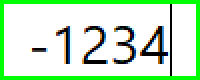
Integer Textbox
Note - Copy/Paste
I am currently unable to fully test the results when pasting random data into every version of VB.Net. For this reason, the default settings do not allow "pasting" into the control. If you wish to allow "Paste" and are willing to perform your own testing, you could comment out the following section of code.
' Block Copy/Paste
text_box.ShortcutsEnabled = False
text_box.ContextMenuStrip = New ContextMenuStrip
' End of Block Copy/Paste
Imports System.ComponentModel
Public Class Ctl_Integer
 Private text_box As New TextBox
 Private _MinValue As Integer = -1000
 Private _MaxValue As Integer = 1000
 Private oldValue As Integer = 0
 Event A_Value_Changed()
 Private Sub Ctl_Integer_Load(sender As Object, e As EventArgs) Handles MyBase.Load
  Me.Enabled = False
  InitTextBox()
  Me.BorderStyle = BorderStyle.None
  Dim siz As Size = text_box.Size
  Me.Size = New Size(siz.Width + 4, siz.Height + 4)
  Me.BackColor = Color.FromArgb(&HFF, &H0, &HFF, &H0)
  Me.Enabled = True
 End Sub
 Private Sub InitTextBox()
  text_box.Name = "TxtInteger"
  text_box.Text = String.Empty
  text_box.BorderStyle = BorderStyle.None
  text_box.Font = New Font(Me.Font.Name, 20, Me.Font.Style)
  text_box.TextAlign = HorizontalAlignment.Center
  text_box.BorderStyle = BorderStyle.None
  text_box.Font = New Font(Me.Font.Name, 20, Me.Font.Style)
  text_box.Width = 100 - 4
  text_box.Location = New Point(2, 2)
  text_box.BackColor = Color.White
  text_box.ForeColor = Color.Black
  ' Block Copy/Paste
  text_box.ShortcutsEnabled = False
  text_box.ContextMenuStrip = New ContextMenuStrip
  ' End of Block Copy/Paste
  Me.Controls.Add(text_box)
 End Sub
 ' Block attempts to paste Text into our Integer Textbox
 Protected Overrides Function ProcessCmdKey(ByRef msg As Message, ByVal keyData As Keys) As Boolean
  ' Block Control_V keypress
  If keyData = (Keys.Control Or Keys.V) Then Return True
  Return MyBase.ProcessCmdKey(msg, keyData)
 End Function

 ' Block attemps to type non-integer text into text_box
 Private Sub Text_box_KeyPress(sender As Object, e As KeyPressEventArgs)
  If e.KeyChar = Chr(8) Then Exit Sub ' backwardDelete Key
  Dim curPos As Integer
  Select Case e.KeyChar
   Case "0"c, "1"c, "2"c, "3"c, "4"c, "5"c, "6"c, "7"c, "8"c, "9"c
    If text_box.Text.Contains("-"c) AndAlso text_box.SelectionStart = 0 Then
     text_box.SelectionStart = 1 ' digts must be after the - sign
    End If
    Exit Sub
   Case "+"c
    If Not text_box.Text.Contains("-"c) Then
     e.Handled = True
     Exit Sub
    End If
    curPos = text_box.SelectionStart
    text_box.Text = Mid(text_box.Text, 2)
    If curPos > 1 Then
     text_box.SelectionStart = curPos - 1
    End If
    e.Handled = True
   Case "-"c
    If text_box.Text.Contains("-"c) OrElse _MinValue >= 0 Then
     e.Handled = True
     Exit Sub
    End If
    curPos = text_box.SelectionStart
    text_box.Text = "-" & text_box.Text
    text_box.SelectionStart = curPos + 1
    e.Handled = True
   Case Else
    ' don't allow the key
    e.Handled = True
    Exit Sub
  End Select
 End Sub
 Private Sub Text_box_TextChanged(sender As Object, e As EventArgs)
  Dim v As Integer
  ' handle user has not typed any digits yet
  If text_box.Text = "-" OrElse text_box.Text = String.Empty Then
   If v <> oldValue Then
    oldValue = v
    RaiseEvent A_Value_Changed()
   End If
   Exit Sub
  End If
  ' handle user has somehow pasted garbage
  If Not Integer.TryParse(text_box.Text, v) Then
   text_box.Text = String.Empty
   Exit Sub
  End If
  If v < _MinValue Then
   v = _MinValue
  End If
  If v > _MaxValue Then
   v = _MaxValue
  End If
  If v <> oldValue Then
   text_box.Text = v.ToString
   oldValue = v
   RaiseEvent A_Value_Changed()
  End If
  oldValue = v
 End Sub
 <DesignerSerializationVisibility(DesignerSerializationVisibility.Hidden)>
 Public Property A_Value As Integer
  Get
   Dim ret As Integer
   If Not Integer.TryParse(text_box.Text, ret) Then ret = 0
   Return ret
  End Get
  Set(value As Integer)
   Dim v As Integer = value
   If v < _MinValue Then v = _MinValue
   If v > _MaxValue Then v = _MaxValue
   text_box.Text = v.ToString
  End Set
 End Property
 <DesignerSerializationVisibility(DesignerSerializationVisibility.Hidden)>
 Public Property A_MinValue As Integer
  Get
   Return _MinValue
  End Get
  Set(value As Integer)
   Dim minV As Integer = value
   If minV > 0 Then minV = 0
   If minV > _MaxValue Then _MaxValue = minV
   _MinValue = minV
   Dim v As Integer
   If Not Integer.TryParse(text_box.Text, v) Then v = 0
   If v < _MinValue Then
    v = _MinValue
    text_box.Text = v.ToString
   End If
   If v > _MaxValue Then
    v = _MaxValue
    text_box.Text = v.ToString
   End If
  End Set
 End Property
 <DesignerSerializationVisibility(DesignerSerializationVisibility.Hidden)>
 Public Property A_MaxValue As Integer
  Get
   Return _MaxValue
  End Get
  Set(value As Integer)
   Dim maxV As Integer = value
   If maxV < 0 Then maxV = 0
   If maxV < _MinValue Then _MinValue = maxV
   _MaxValue = maxV
   Dim v As Integer
   If Not Integer.TryParse(text_box.Text, v) Then v = 0
   If v < _MinValue Then
    v = _MinValue
    text_box.Text = v.ToString
   End If
   If v > _MaxValue Then
    v = _MaxValue
    text_box.Text = v.ToString
   End If
  End Set
 End Property
 <DesignerSerializationVisibility(DesignerSerializationVisibility.Hidden)>
 Public Property A_BorderColour As Color
  Get
   Return Me.BackColor
  End Get
  Set(value As Color)
   ' some Controls have issues with transparent colours
   value = Color.FromArgb(255, value.R, value.G, value.B)
   Me.BackColor = value
  End Set
 End Property
 <DesignerSerializationVisibility(DesignerSerializationVisibility.Hidden)>
 Public Property A_BackColour As Color
  Get
   Return text_box.BackColor
  End Get
  Set(value As Color)
   ' textboxes have issues with transparent colours
   value = Color.FromArgb(255, value.R, value.G, value.B)
   text_box.BackColor = value
  End Set
 End Property
 <DesignerSerializationVisibility(DesignerSerializationVisibility.Hidden)>
 Public Property A_ForeColour As Color
  Get
   Return text_box.ForeColor
  End Get
  Set(value As Color)
   ' textboxes have issues with transparent colours
   value = Color.FromArgb(255, value.R, value.G, value.B)
   text_box.ForeColor = value
  End Set
 End Property
 <DesignerSerializationVisibility(DesignerSerializationVisibility.Hidden)>
 Public Property A_TextAlign As HorizontalAlignment
  Get
   Return text_box.TextAlign
  End Get
  Set(value As HorizontalAlignment)
   text_box.TextAlign = value
  End Set
 End Property
 <DesignerSerializationVisibility(DesignerSerializationVisibility.Hidden)>
 Public Property A_Width As Integer
  Get
   Return Me.Width
  End Get
  Set(value As Integer)
   If value < 30 Then value = 30
   If value > 400 Then value = 400
   text_box.Width = value
   Dim siz As Size = text_box.Size
   Me.Size = New Size(siz.Width + 4, siz.Height + 4)
  End Set
 End Property
 <DesignerSerializationVisibility(DesignerSerializationVisibility.Hidden)>
 Public Property A_Font As Font
  Get
   Return text_box.Font
  End Get
  Set(value As Font)
   Dim fs As Integer = value.Size
   If fs < 8 Then fs = 8
   If fs > 50 Then fs = 50
   text_box.Font = New Font(value.Name, fs, value.Style)
   Dim siz As Size = text_box.Size
   Me.Size = New Size(siz.Width + 4, siz.Height + 4)
  End Set
 End Property
 <DesignerSerializationVisibility(DesignerSerializationVisibility.Hidden)>
 Public Property A_FontSize As Integer
  Get
   Return text_box.Font.Size
  End Get
  Set(value As Integer)
   Dim f As Font = text_box.Font
   If value < 8 Then value = 8
   If value > 50 Then value = 50
   text_box.Font = New Font(f.Name, value, f.Style)
   Dim siz As Size = text_box.Size
   Me.Size = New Size(siz.Width + 4, siz.Height + 4)
  End Set
 End Property

End Class
Properties
| Property | Type | Description |
| A_Value | Integer | Get/Set number displayed in the control |
| A_MinValue | Integer |
Get/Set smallest number control will accept This must be less than or equal to zero because control value could be blank |
| A_MaxValue | Integer |
Get/Set largest number control will accept This must be greater than or equal to zero because control value could be blank |
| A_BorderColour | Color |
Get/Set colour of textbox border Border used to warn users that contents should be integer Transparent colours mill be made opaque. (Avoids VB.Net limitation) |
| A_ForeColour | Color |
Get/Set colour of the digits displayed in control Border used to warn users that contents should be integer Transparent colours mill be made opaque. (Avoids VB.Net limitation) |
| A_TextAlign | HorizontalAlignment | Get/Set text alignment within control |
| A_Width | Integer | Get/Set total width of control |
| A_Font | Font |
Get/Set font used for digits Changing font could affect height of control Width of control can be adjusted with A_Width |
| A_FontSize | Integer |
Get/Set font used for digits Changing font size will affect height of control Width of control can be adjusted with A_Width |
DigitalDan.co.uk